Relativity Park: taming the speed of light

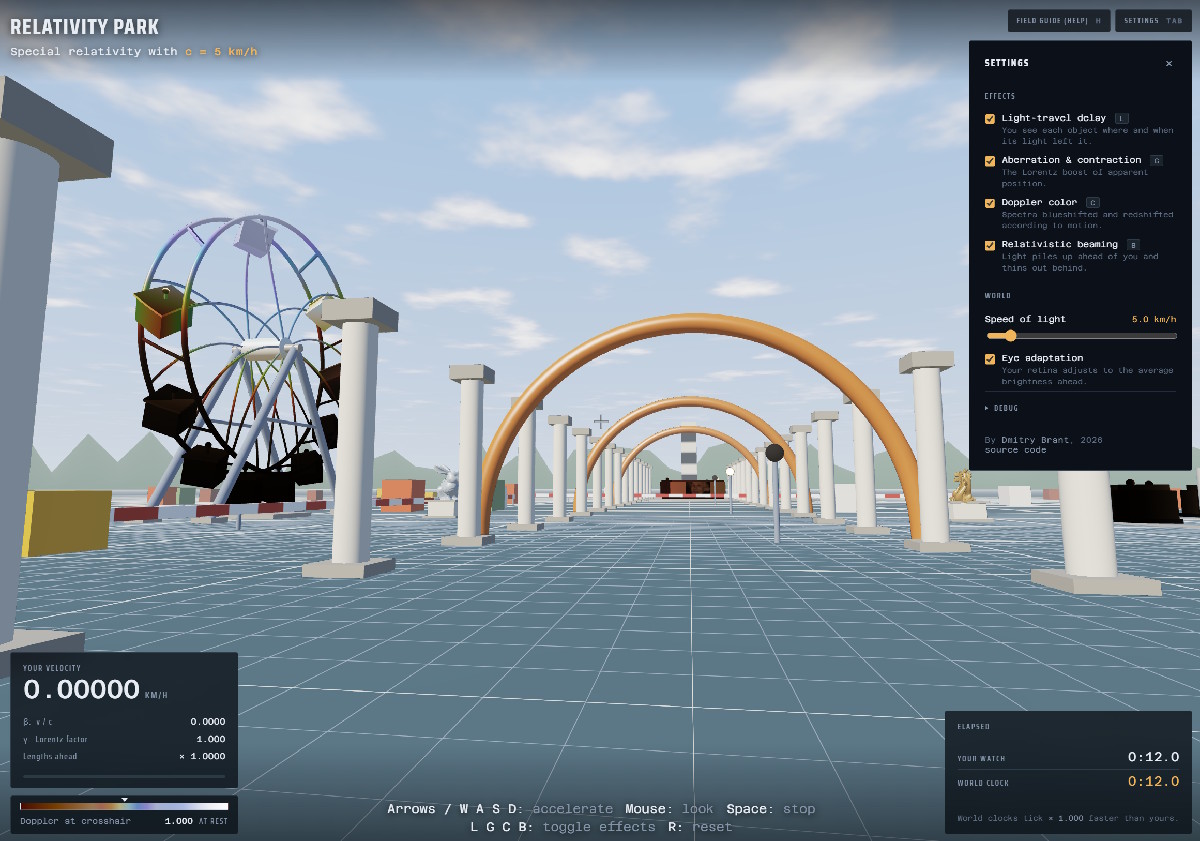
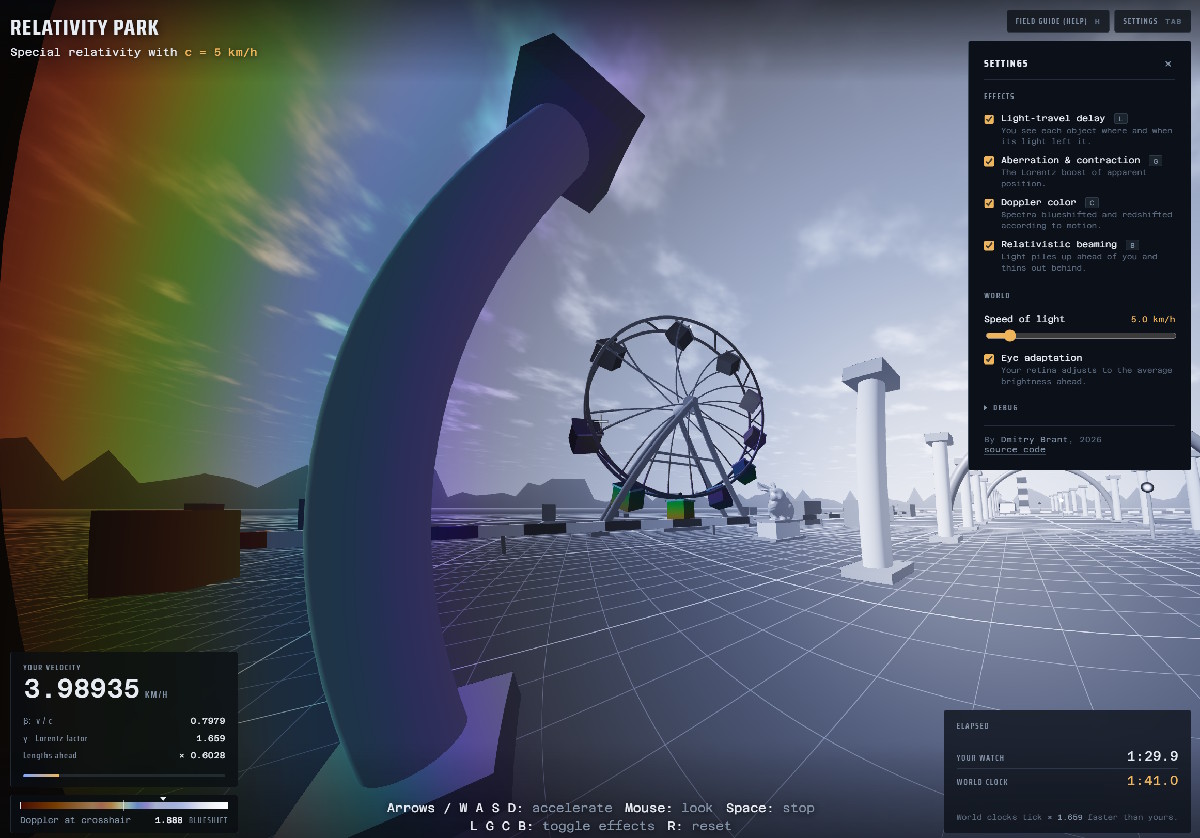
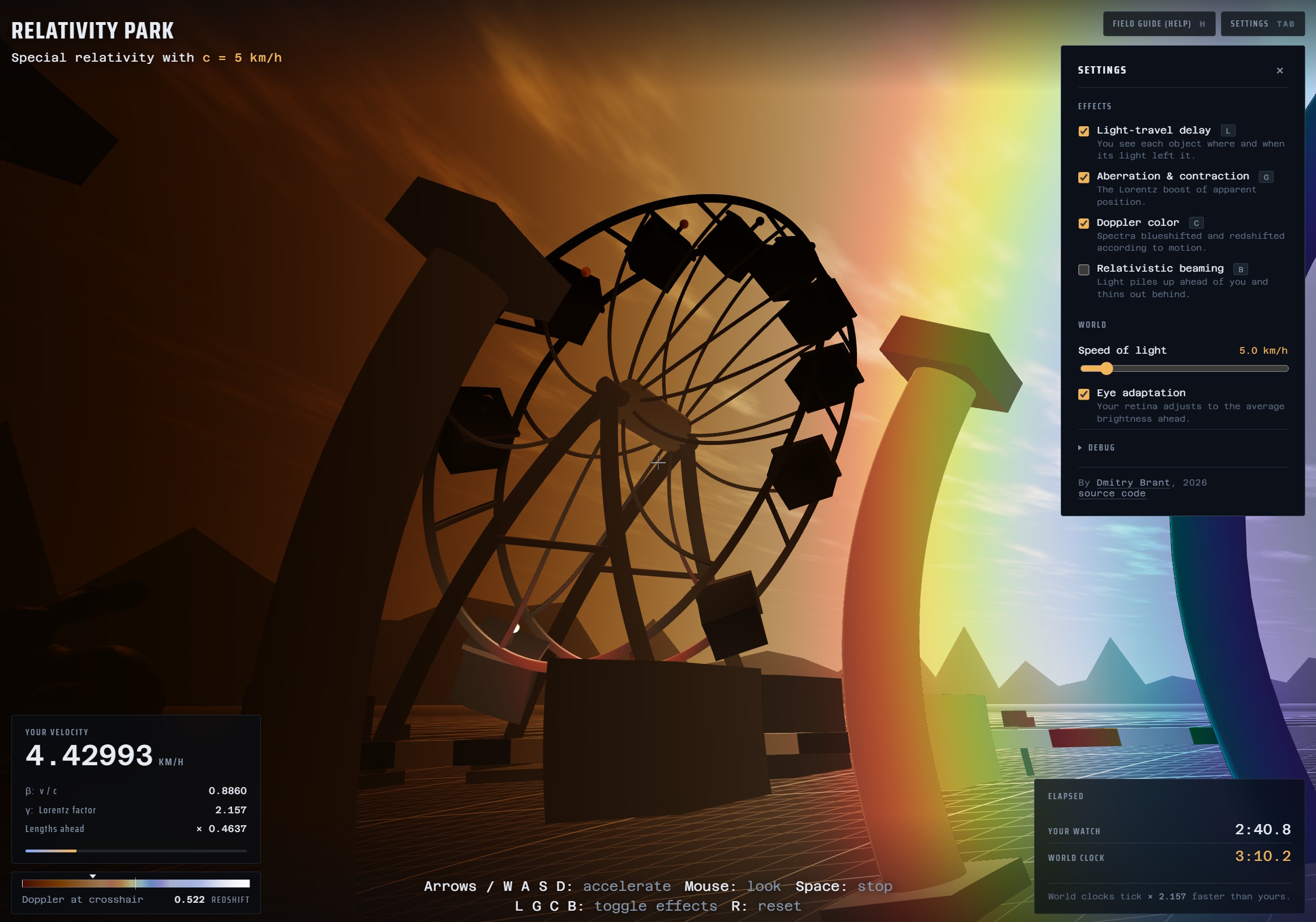
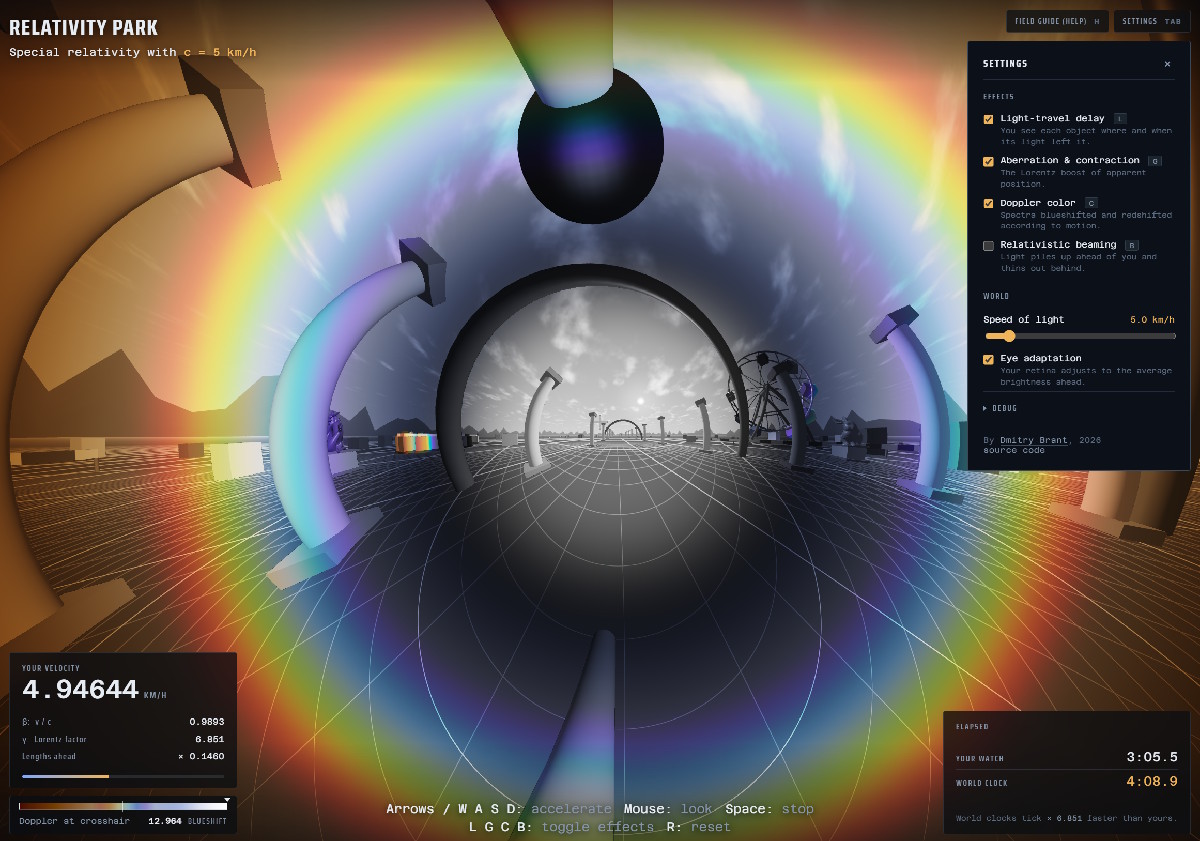
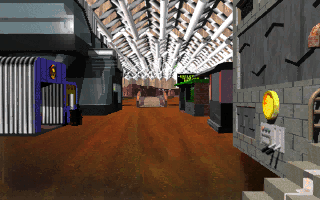
Recently I finished building another thing™ that’s been on my mind for a long time. It’s a simulation of a simple real-world environment, except for one important difference: the speed of light in this environment is extremely slowed down to exactly 5 kilometers per hour, a brisk walking speed. With this crucial difference, we’re able to observe relativistic effects at more human scales, thereby developing a better intuition of what actually happens when an observer approaches the speed of light relative to their surroundings.

This was largely inspired by MIT’s OpenRelativity project, which was released around 2012, and is intended for use in the Unity engine. I, however, wanted to make something much more lightweight: plain javascript and WebGL, usable in a web app. I also wanted to make it as physically accurate as possible, while maintaining fairly good performance, paying particular attention to relativistic Doppler effects (redshift, blueshift, transverse effects) and effects from light travel delay such as Terrell rotation and temporal Doppler nuances, the latter of which OpenRelativity seems to neglect.

Naturally I made heavy use of LLMs in building this simulation (Claude Opus 5), but this was only due to my inexperience with OpenGL, not any inexperience with the mathematics of special relativity. In fact, before anyone concludes that LLMs “understand” special relativity, I will note that I had to steer and re-prompt the LLM numerous times with the proper equations to get it to work properly.

Something remarkable about this kind of simulation is that the mathematics is really not very complicated; most of it is high school level algebra. So as long as we get the math right, all of the various effects and strange phenomena emerge automatically. The thing that continues to boggle my mind, and the thing that I appreciate even deeper after finishing this app, is how Einstein could have envisioned this geometry and all its implications from first principles, without the benefit of pretty visualizations. For the rest of us, I hope this visualization can serve as a reminder of how weird our world actually is, at high enough speeds and high enough energies.

Check it out, and let me know if anything appears inaccurate, or if you’d like to see any additional features!

(on Hacker News)

Return to Zork: now moddable!

One of my favorite DOS games from the mid-1990s was Return to Zork. It was a bold departure from the purely text-based Zork games of old, with very nice VGA graphics and a point-and-click interface for interacting with the game’s world. My warm sentiment was not quite shared by my friends at the time, though. Professional critics also gave it mixed reviews, and with good reason.

Let’s just say I love this game more than it deserves. The biggest downfall of the game is the puzzles themselves which are woven through the story of the game. It’s clear that the intention of the creators was to make the puzzles light-hearted and whimsical, but the outcome turned out to be puzzles that are needlessly convoluted, and often frustratingly random.

Many of the puzzles require plain trial and error, seeing if any of the items in your inventory have an effect on your current surroundings. Some inventory items required to complete the game are only available at the very beginning, but if they are not obtained, the game still continues nearly to the end, until you realize that you needed the item all along, and can only obtain it by restarting the whole game. It was hardly possible to complete the game without a printed guide or walkthrough.

And yet, something about the quaintness of the game’s graphics, the corniness of the acting and dialogue, and the genuine technical impressiveness of the game’s engine makes me feel relaxed and at home in the Great Underground Empire. When not engaging with the game’s puzzles, it allows you to stroll freely through the environment in an open-ended way, which I recommend.

When I played the game in the 90s, I recall wanting to “mod” the game, in the sense of tweaking the graphics and sound (e.g. drawing graffiti on the walls of the buildings, inserting myself as one of the characters, and so on), or maybe even changing the script and the outcomes of certain actions.

Well, better late than never:

Now that we can will software into existence, here is a complete toolkit for unpacking all the assets of Return to Zork! Once unpacked, all of the graphics become PNG files, and all of the sounds become WAV files, editable as much as you like. When finished, the toolkit lets you re-pack everything, magically allowing the game to become playable with your new assets!
Look at the README in the repo for a complete breakdown of all the file formats and how they are packaged, as well as complete instructions for unpacking and rebuilding the game.

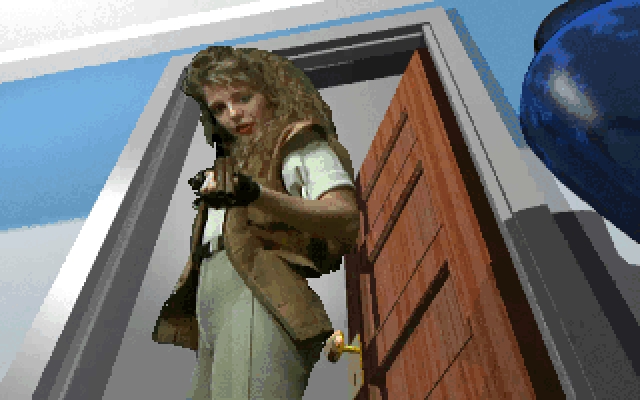
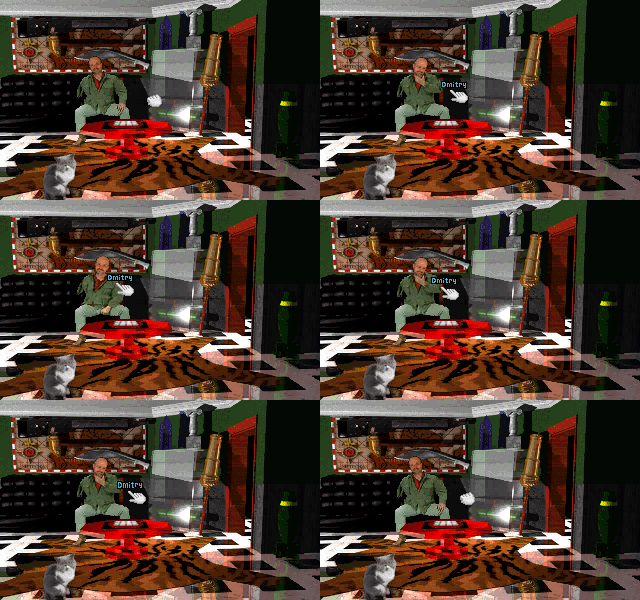
The end result? Here is me “standing in” for the character of Moadikum Moodock, the arms dealer who teaches the Player character how to play the mini-game of Survivor, vitally important for defeating the final boss Morphius:

Sorry you had to see that; it’s just a weird way in which I’ve always wanted to immerse myself in this game. No offense meant to the actor who actually portrayed Moodock (Ernie Lively, RIP) (yes, he was the father of Blake Lively!). This is meant purely as an homage, a love letter, to such a memorable character. His delivery of the line “Pull up a chair, and I’ll teach it to you!” is something I still quote to this day.
Care to try it yourself? ‘Course you do!