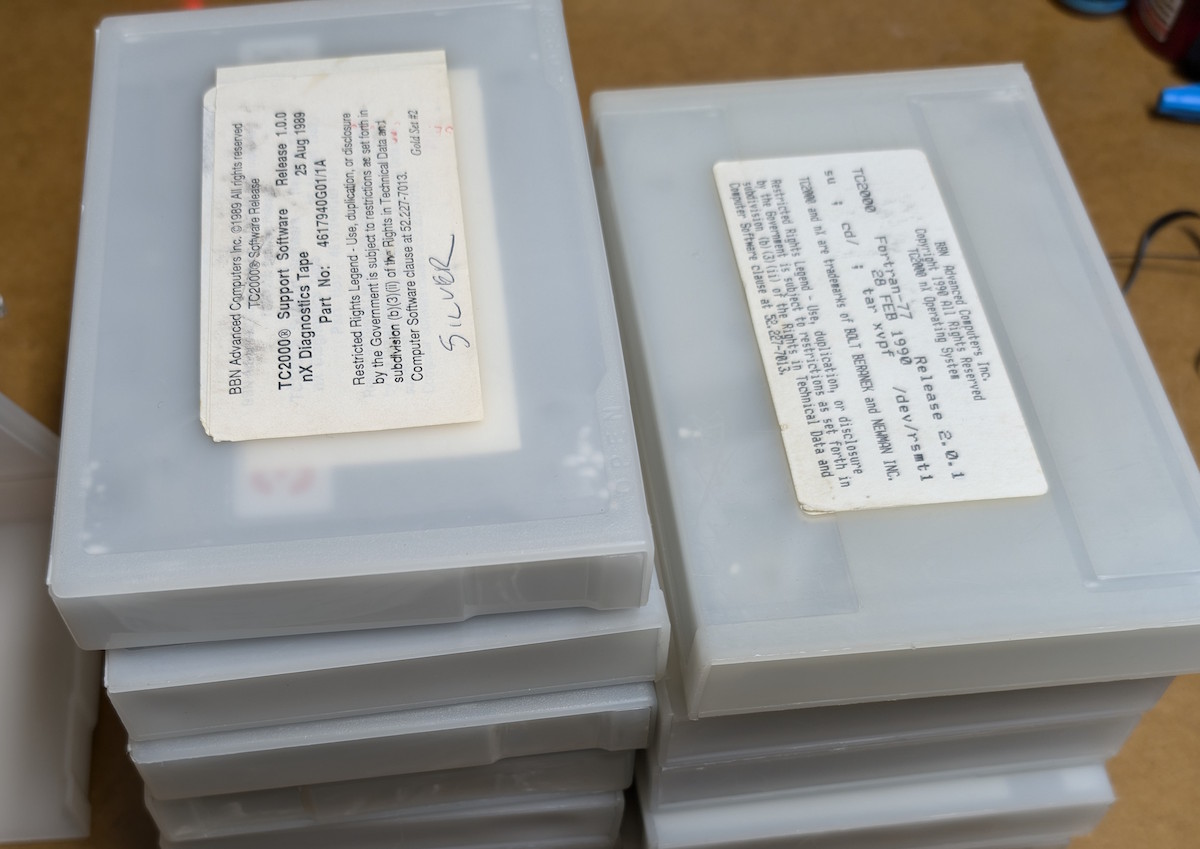
For my next trick frivolous use of LLMs, I’m building an emulated tape drive!
TLDR: The 86Box emulator now allows you to emulate a QIC-117 tape drive connected to the floppy controller, or to a parallel port, and make “backups” to virtual tape images using actual DOS and early Windows-era backup software.
I’ve always been rather obsessed with emulators. I have an extensive collection of bootable disk images that contain virtually every version of DOS, Windows, Mac System versions, Amiga OS, various Unixes, and other more obscure OSes, all ready to run at the click of an icon.
One of my favorite emulators for emulating DOS and early Windows-based systems is 86Box, which is an evolution of the great PCEm emulator. 86Box is a very “low-level” emulator that actually executes the BIOS ROM of various chipsets, and emulates a plethora of devices and peripherals very faithfully. 86Box also happens to be refreshingly accessible for developing and extending.
For a while I’ve had this idea in the back of my mind to combine two of my obsessions: emulation and tape media. Wouldn’t it be neat if we could emulate a tape drive, with a virtual tape cartridge, reading from a virtual tape image file? As far as I know, there are no emulators currently available that emulate a QIC tape drive (specifically QIC-80 and its later cousins like QIC-3020).
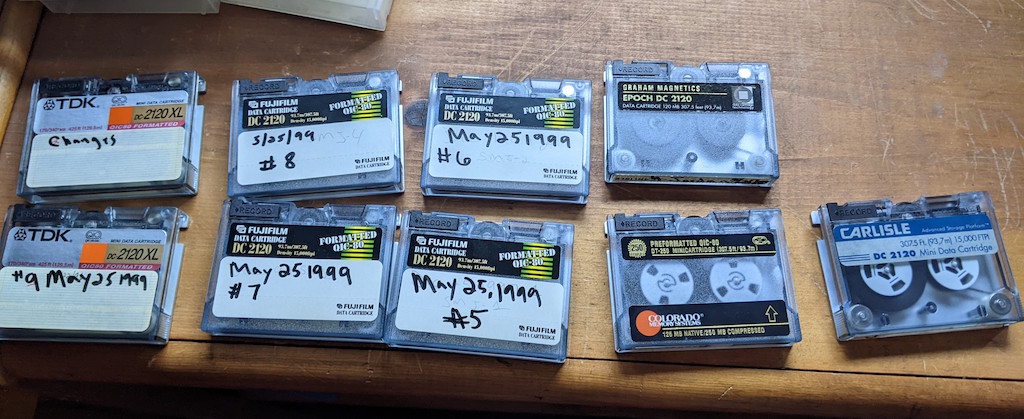
I deal with recovering data from QIC tapes on a regular basis. And as someone who cares about digital preservation, I always make sure to obtain a complete binary image of the tape, so that it might be possible to reproduce the image onto a different tape, exactly as the original backup software would have written it. (Side note: a truly “proper” preservation of a tape would be to save the actual flux transitions, instead of the higher-level binary bytes, but that’s a subject for a future post.)
And so, with the binary tape images in hand, it would be great to “close the loop” by allowing the original backup software, running in an emulator, to read these tapes by believing that it’s communicating with a real tape drive. Fortunately we are living in a time when one person’s backlog can become their AI agent’s top priority.
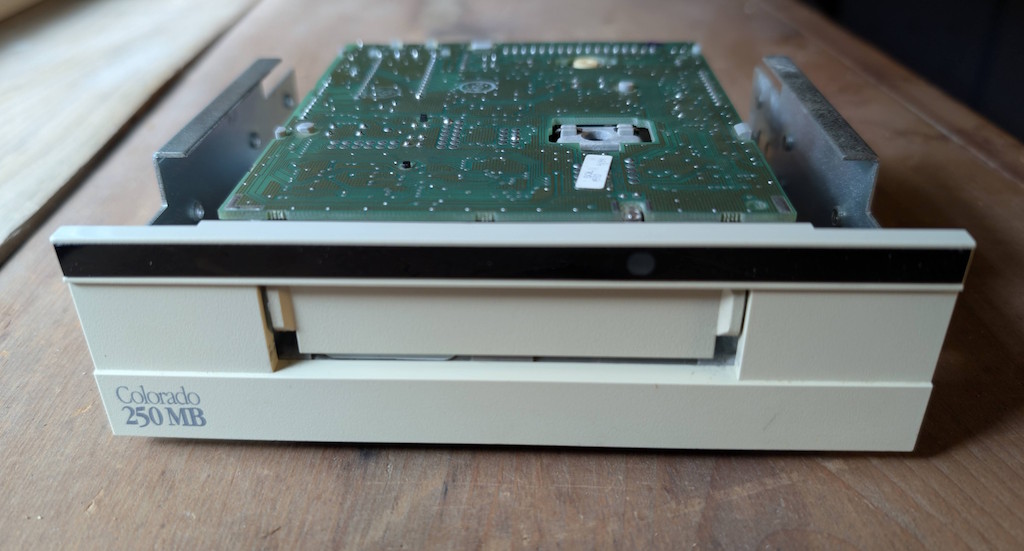
These QIC tape drives, such as the Colorado 250, Travan, and so on, communicate over the floppy controller using a special protocol called QIC-117. The complete specification of this protocol is readily available on the web. You would think, therefore, that all that’s necessary is for our emulated drive to implement the entire QIC-117 spec, and all will be well.
Sadly that’s not quite the case. In addition to all the standard QIC-117 functions, the spec allows for manufacturer-specific “diagnostic” commands that basically open the spec up to completely arbitrary behavior that the manufacturer desires. And indeed, the manufacturers make generous use of these diagnostic commands, particularly in the detection phase of when the host driver wants to determine the type of drive that is connected.
With just the bare QIC-117 spec implemented, which took Claude Opus 5 just three or four prompts to complete, only a single backup utility for MS-DOS would agree to detect and read from the drive, namely HP Colorado Backup 7 (QBACKUP). This was actually the first utility I tried, which initially gave me false hope, because afterwards I started realizing that different utilities employ wildly different ways of detecting these drives, and QBACKUP happened to employ the least manufacturer-specific trickery.
When I tried using tools like Microsoft Backup for Windows 95, for example, I noticed it putting the drive into diagnostic mode and attempting to issue manufacturer-specific commands. Since I was emulating a Colorado drive (the QIC-117 spec requires the drive to reply with a “vendor code” from a predefined list of known vendors), MS Backup was clearly trying to do Colorado-specific things with the drive, which are not documented anywhere.
There are two ways we could uncover what the diagnostic functions do: we could connect a real Colorado drive and attempt to monitor the traffic that goes across a real floppy controller, or…
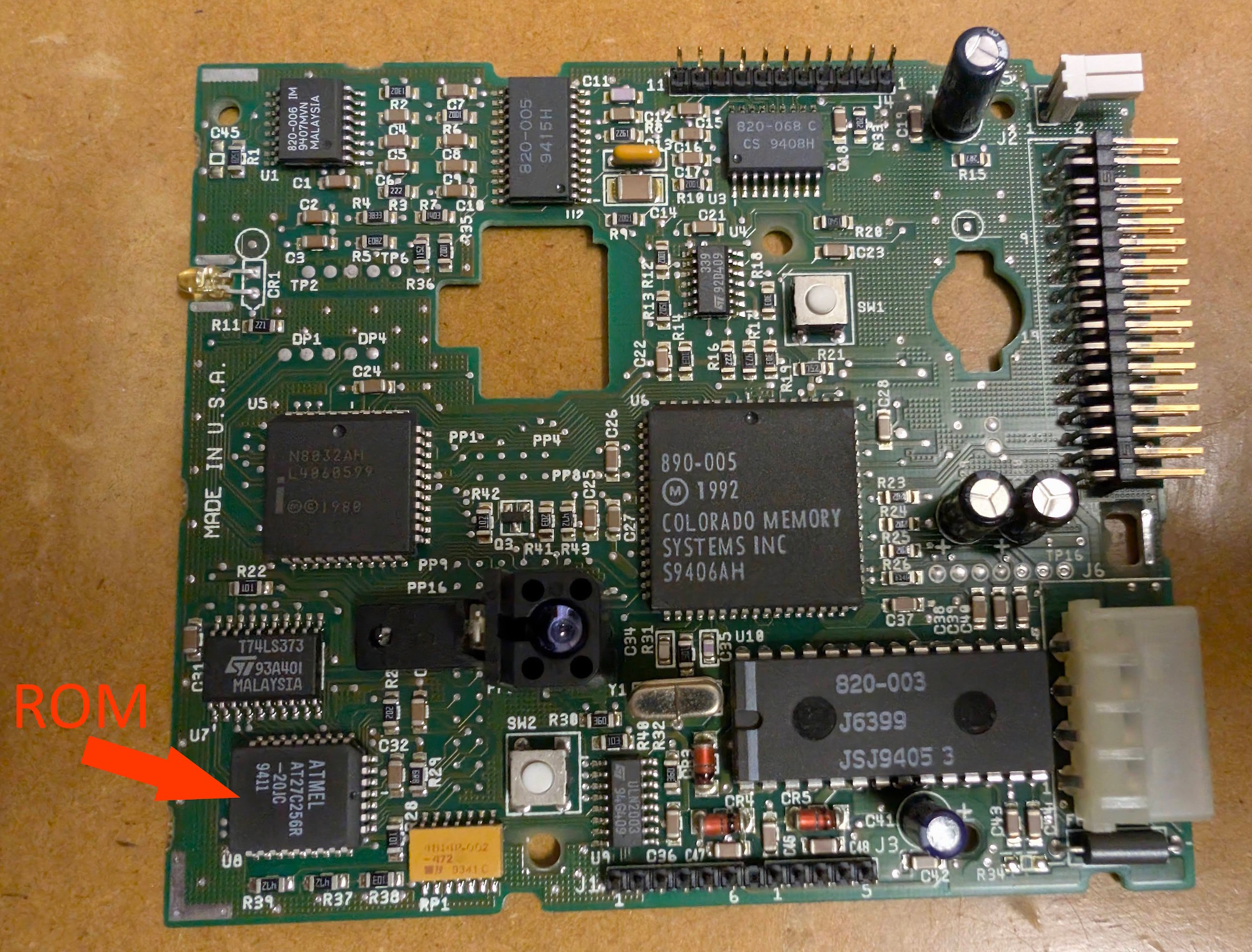
We could unsolder the ROM chip from the drive, perform a disassembly of the ROM, and get a complete understanding of all the commands that the drive supports, including all the diagnostic bits!
Armed with nothing more than a dump of the ROM and a photo of the PC board, I told Claude to “see what you can do with this”, and it obediently disassembled the ROM and laid out exactly what custom commands the drive supports, and exactly how the drive deviates from the spec for certain standard commands. Have a look at the repo where I put the resulting analysis of the ROM disassembly from the Colorado drive, as well as a few other related drives in my collection. You’ll find all of these rather interesting tidbits in the repo:
- A
FINDINGS.mddocument with an extremely detailed breakdown of all the commands supported by the drive, including some very interesting possibilities for future work in enabling the drive to read tapes that were previously believed to be unreadable, as well as enabling a custom controller, such as a Greaseweazle, to control the drive and read the raw flux transitions, for truly proper digital preservation. - Disassembler (written in Python) for the Intel 8051 processor, which is the main IC that controls the drive. There is also a disassembler for the Zilog Z8 processor, used by a couple of the other drives. Both of these disassemblers were thrown together by the LLM as an effortless prerequisite for its work.
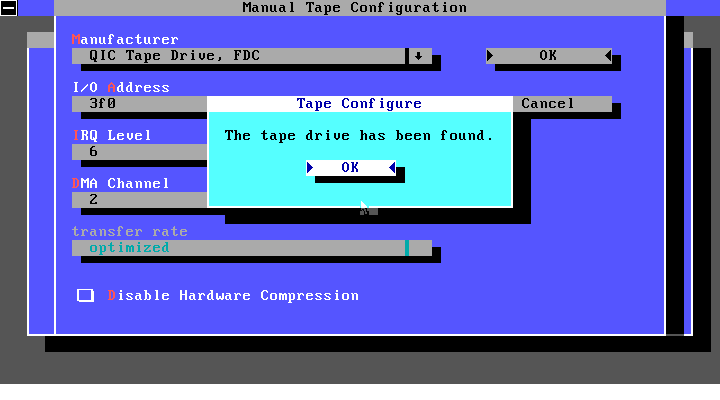
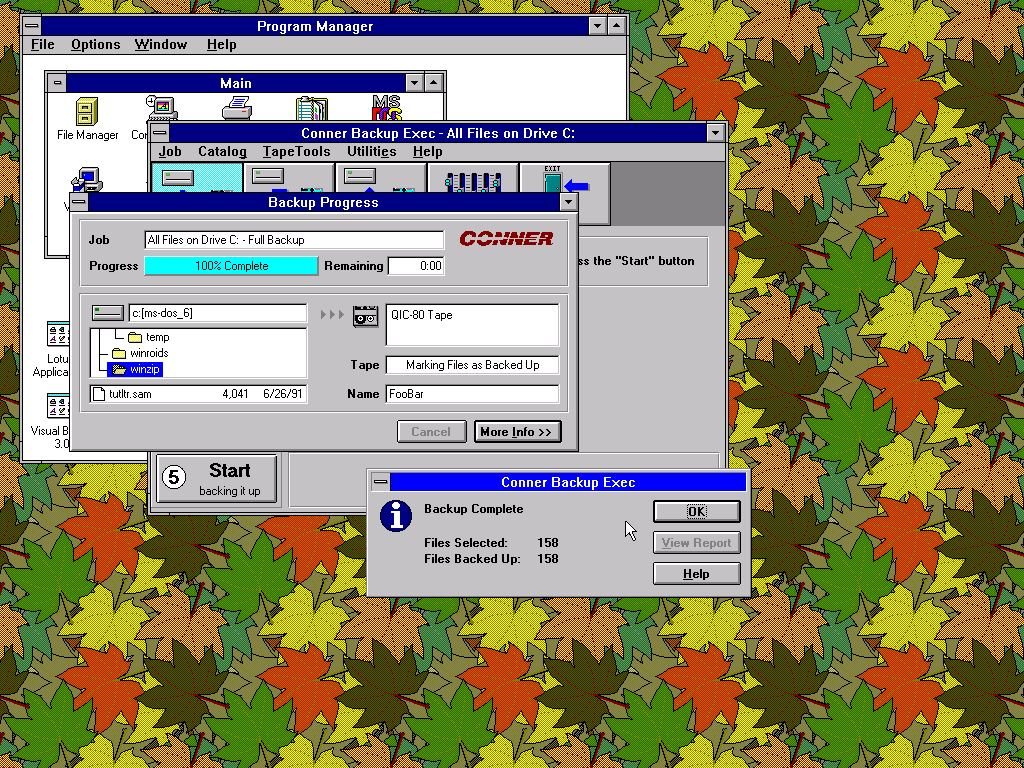
This filled in all the missing pieces necessary to complete the emulated QIC-117 drive, now usable in 86Box:
Afterwards, for the sake of completeness, I also implemented support for a parallel port version of these drives (LPT port with EPP), which emulates an Iomega Ditto drive. This drive is actually a QIC-117 drive internally, but contains an extra chip that allows it to communicate over the parallel port using a protocol called Backpack, developed by MicroSolutions.
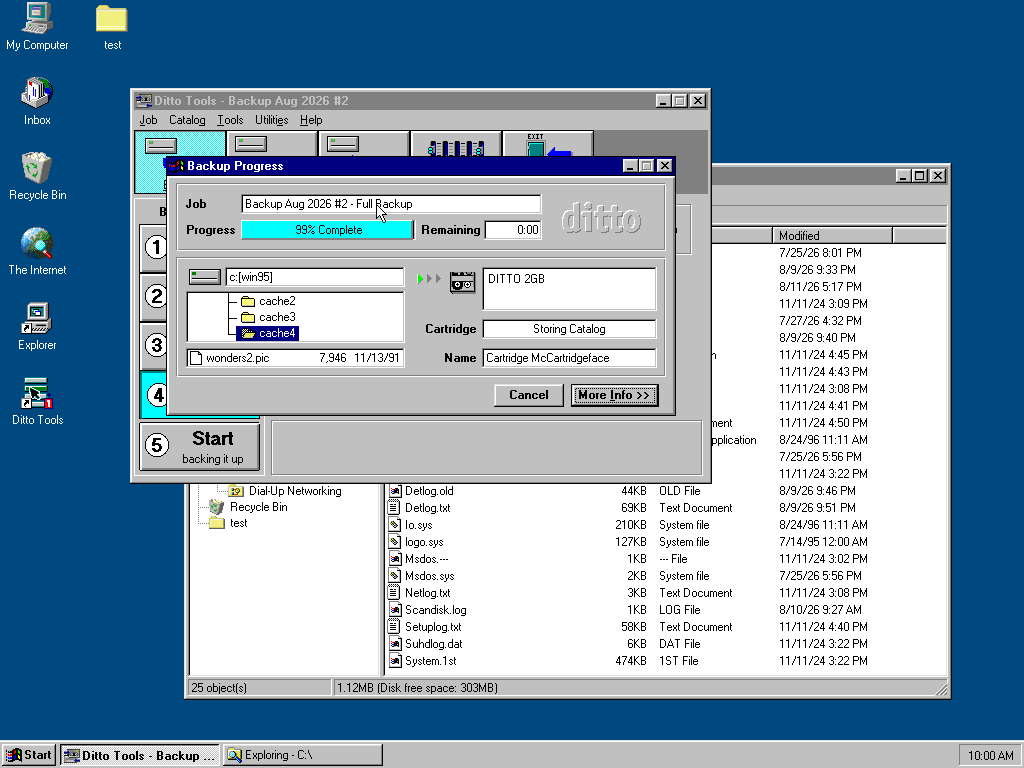
The Iomega Ditto 2GB drive in particular is one of my go-to drives for reading QIC cartridges, because of its excellent backwards compatibility with older cartridges, being able to read not only the first-party Ditto cartridges, but other smaller-capacity tapes like Travan, QIC-3020, all the way down to QIC-2080. All of these are now supported as emulated cartridges in 86Box, when configuring your emulated Ditto drive on the parallel port.
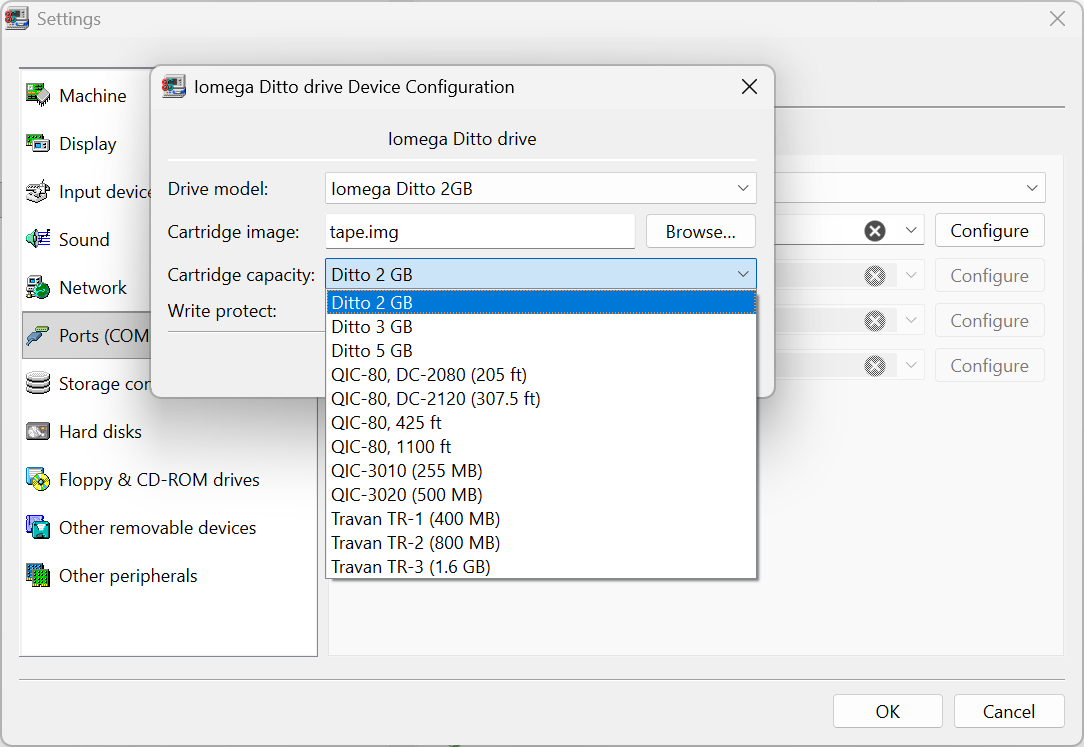
One minor quirk is that Ditto cartridges always came pre-formatted, and there’s no way for the end user to format a completely blank tape image. Therefore I made a repository of pre-formatted tape images for you to download and use for yourself. The repository also contains a Python script that lets you generate a tape image with your desired capacity and custom label. Have fun!