Disclaimer: not affiliated with, or endorsed by, ChefSteps or Breville.
While cleaning out some of our kitchen drawers, I found a device that I had nearly forgotten about: the Joule sous vide immersion circulator.
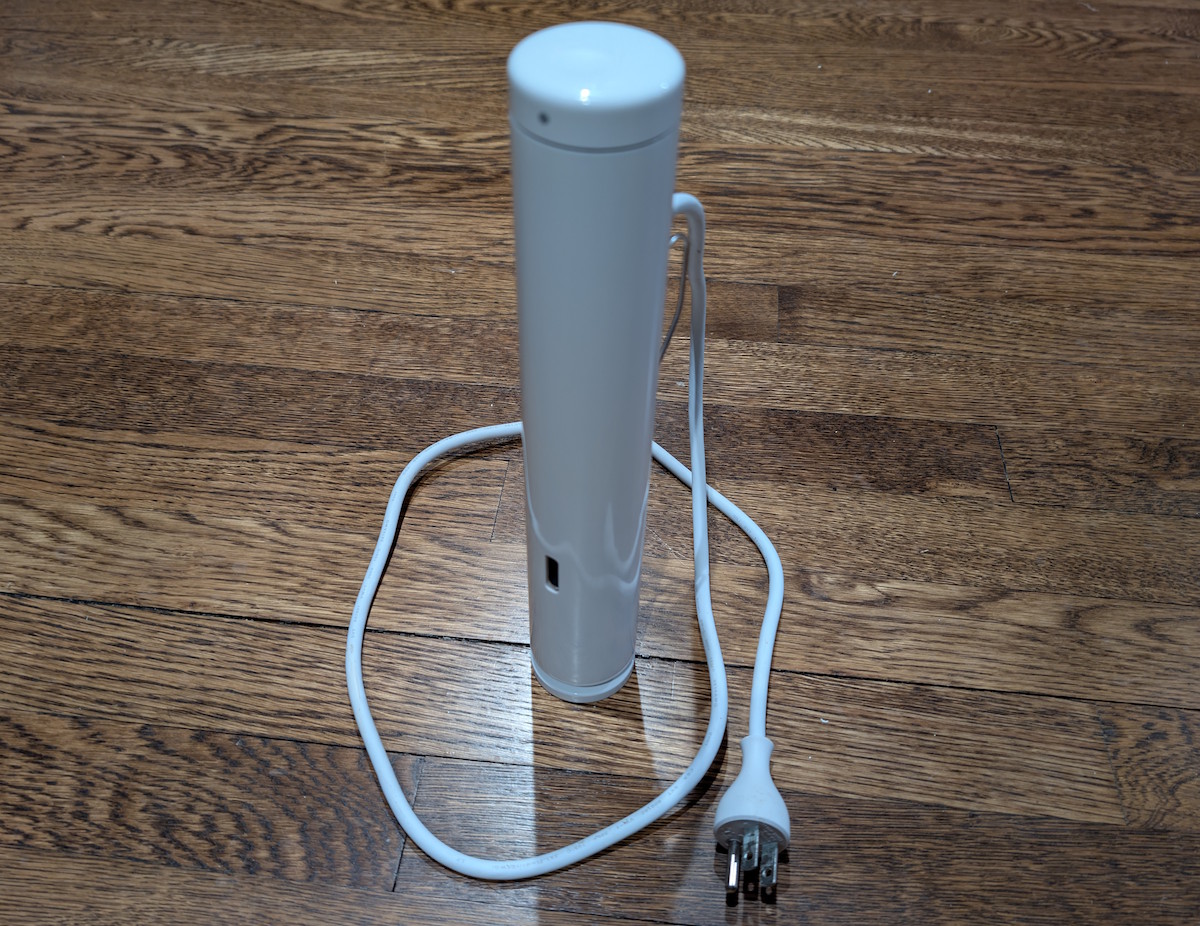
We bought this device years ago, wanting to experiment with sous vide cooking. But now I suddenly remember why we abandoned it so quickly afterwards.
The Joule is a pretty clever device from a hardware perspective. Don’t let the small form factor fool you: it packs 1100 watts of power, which will bring a pot of water to the desired temperature surprisingly quickly.
However, the annoying, obnoxious, frustrating thing about the Joule is, of course, that it requires an app to operate. And the official app is, unfortunately, an abomination. First, it requires you to sign in to your account, because god forbid anyone would want to sous-vide their food anonymously! Then it pairs with the Joule over Bluetooth, then makes your Joule connect to your WiFi network, and only when the Joule is safely linked and synced to your account over WiFi, only then does it start allowing you to make the Joule do its actual job. And this is assuming the app doesn’t crash, or doesn’t randomly disconnect, or the servers aren’t down.
Well, no more of this silliness. With Claude by my side, I knocked out my own app that controls the Joule, purely over Bluetooth, without any further need to connect to WiFi or requiring any accounts. (This was based on some excellent community reverse-engineering work done years ago [1] [2], I just took it the rest of the way.)
I give you… OpenSousVide!
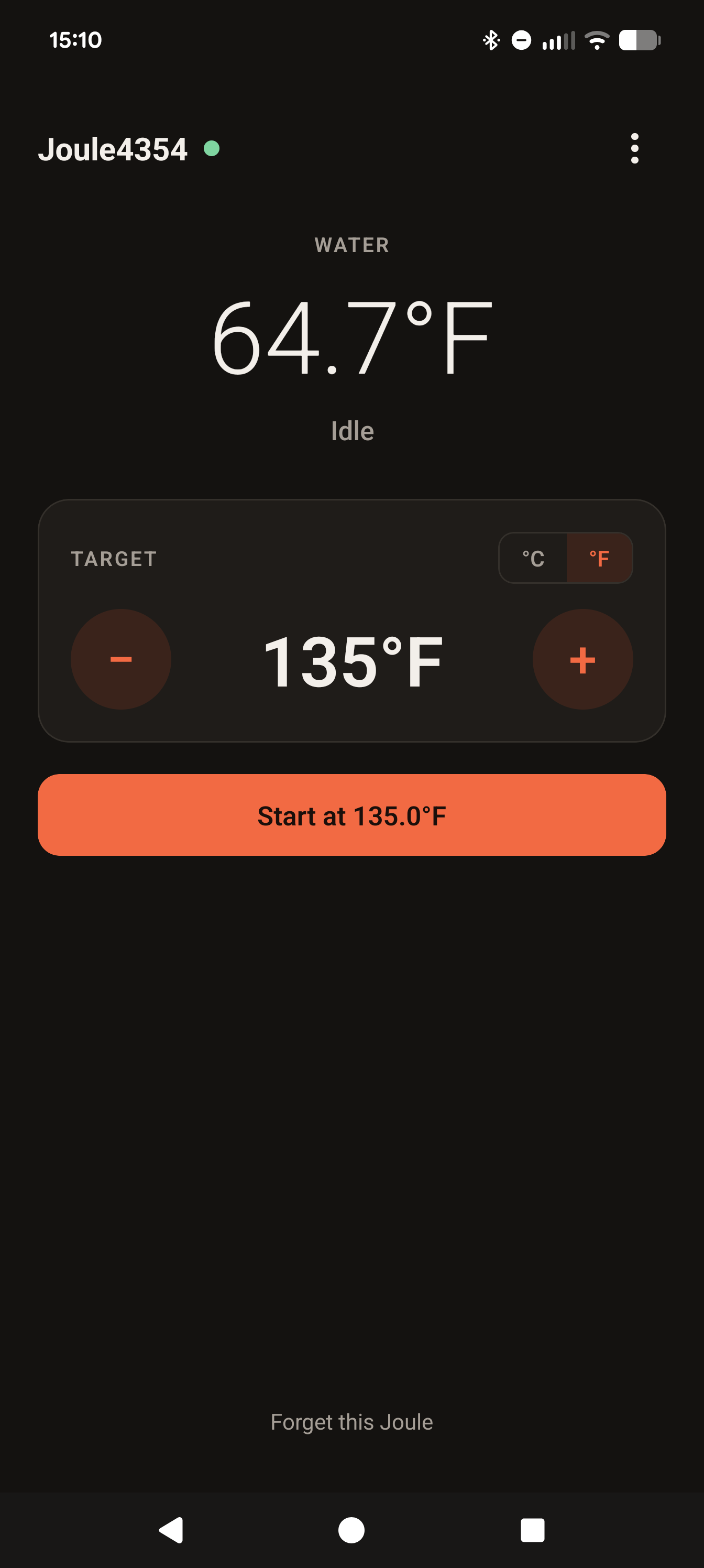
This is a deliberately feature-less app for controlling the Joule. After connecting to the Joule, the app offers two things: a temperature setting, and a Start/Stop button. That’s all it does, because that’s all I need.
Once you press Start, the Joule will start and hold the temperature at the desired level, because that’s the only thing I want it to do. It will keep holding the temperature even if you close the app, or go out of range of the Joule, or turn off your phone entirely.
The app does not have a built-in timer. If you need to run the Joule for a certain amount of time, you can set a timer yourself, using whatever timing technology you like. When the time is up, you can open the app again and press the Stop button. Or you can just unplug the Joule. I don’t care.
If you need to leave your house while the Joule is running, you will not be able to monitor it, because it’s not connected to WiFi, and that is OK. In the old days, people would sometimes leave their house while cooking things in the oven, and would need to weigh the risks of leaving the oven unattended. You, too, must weigh the risk of leaving the Joule running unsupervised.
So, if you have one of these early-generation Joule devices, and were as frustrated as I am by the official app, now you have another option! The app is built in React Native, so it will run on Android or iOS. Visit the repository if you would like to download the app for your Android device. And for iOS, I may publish it on the App Store at some point, but until then you’re welcome to build the app and deploy it to your own iPhone.