NTFSWalker is a simple and straightforward utility for analyzing and “walking through” NTFS partitions on any media readable by your computer, including hard disks, memory cards, USB flash drives, and floppy disks. NTFSWalker takes you through the low-level structure of the file system, and lets you view deleted files, regular files, as well as detailed attributes for each file.
How does it work?
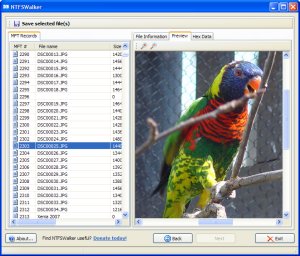 NTFSWalker implements its own driver for reading NTFS partitions. It bypasses the Windows file system drivers and reads your disk hardware directly! It allows you to view every record in your file system’s MFT in excruciating detail. And I mean excruciating.
This program may be useful to students of computer science (or professors) who are learning about (or teaching) file systems. It is also useful for browsing deleted files, and being able to restore them, from any NTFS volume.
NTFSWalker is a cousin of the better-known program DiskDigger. If recovering lost files is what you’re after, DiskDigger is the solution.
Have you found it useful?
…or at least interesting? Then e-mail me a comment or a suggestion. Or, better yet, consider making a donation so I can continue to develop free, quality software, and keep it that way!